Screenshots
App details
- Version
- 1.9.1
- Size
- 3.34 MB
- Updated
- May 13, 2010
- Requires
- Windows 98 SE
- Language
- English | Danish | German | Spanish | Fr...
- License
- Trial version
- Developer
- Deejaysystem
- Category
- Windows OS
SoftPas in:
This product is also available in the following languages:
About Deejaysystem Audio Mk II
Download Deejaysystem Audio Mk II – Reliable DJ Mixer, Free MP3 Player, Easy‑Use Mixing Tool
Overview: Why Deejaysystem Audio Mk II Stands Out in the DJ Software Landscape
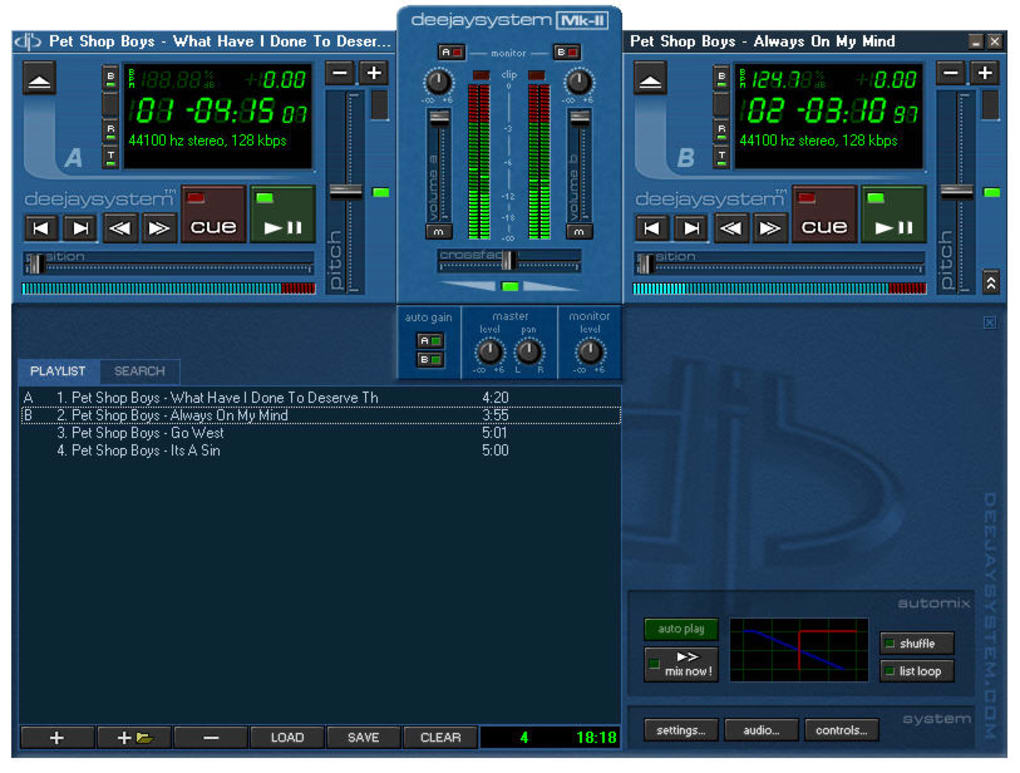
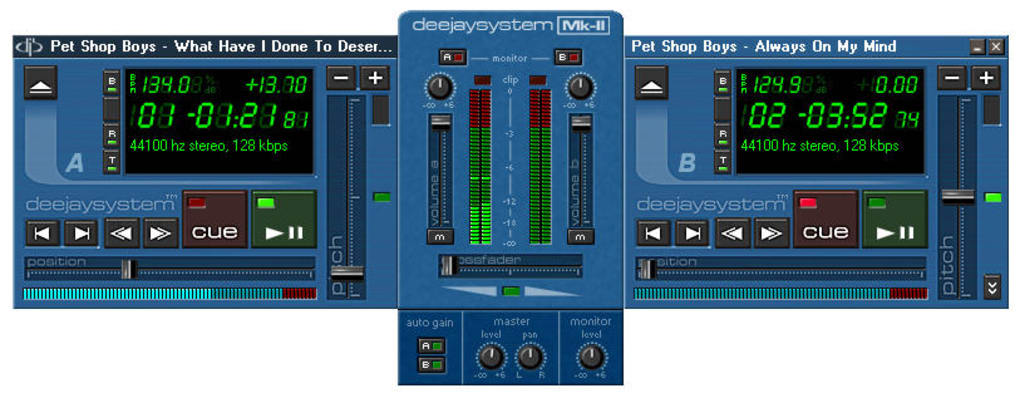
Deejaysystem Audio Mk II is a compact yet powerful DJ application designed for both hobbyist mixers and seasoned club performers. Built around a clean double‑deck interface, the program lets you load two independent audio sources—whether MP3, WAV, or OGG—and manipulate each track with a suite of intuitive controls. What makes this tool truly reliable is its broad hardware compatibility: it works with almost any USB‑sound card, external audio interface, or built‑in PC sound system, giving you flexibility when you move from a bedroom setup to a professional stage.
The core philosophy behind Deejaysystem Audio Mk II is simplicity without sacrificing essential DJ features. While many modern DJ apps bombard users with flashy visualizers and complex effect racks, this software focuses on what matters most: precise tempo control, pitch shifting, beat‑matching, and smooth cross‑fades. The built‑in BPM counter automatically detects the tempo of each track, letting you sync beats in seconds. Additionally, the speed and pitch sliders provide granular adjustments, while the fade knobs enable seamless transitions that keep the dance floor moving.
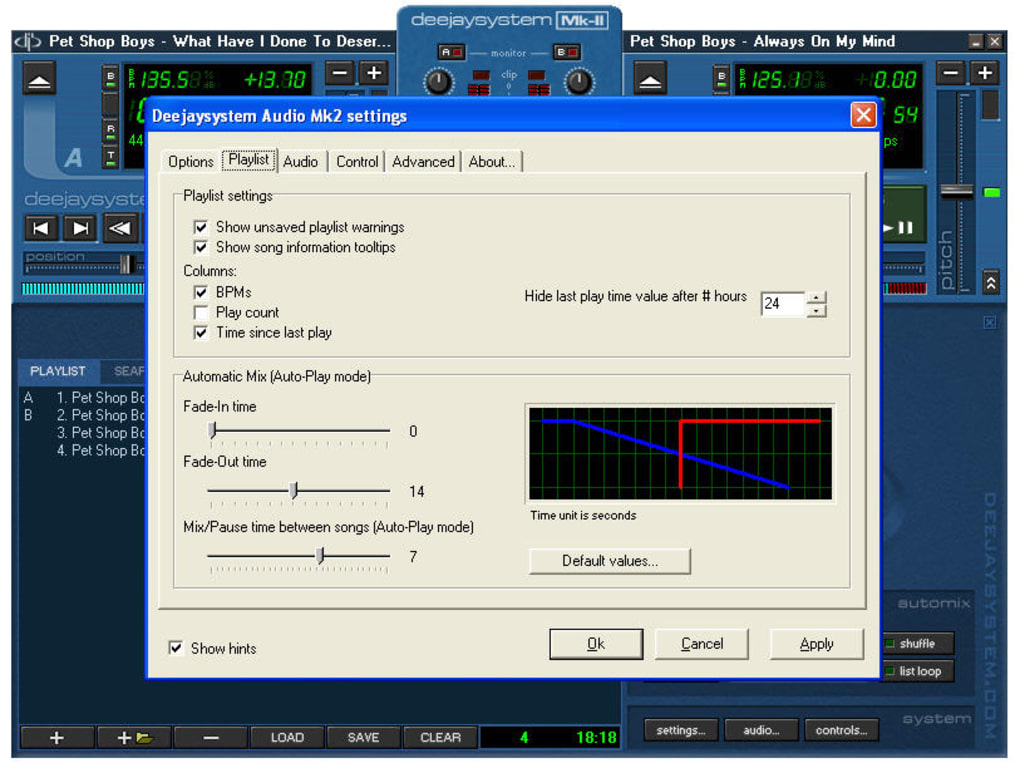
Beyond the basic mixing functions, Deejaysystem Audio Mk II offers customizable playlists that can be saved and recalled during a gig. This means you can pre‑arrange the order of your songs, set cue points, and even create multiple playlists for different set styles. The interface may appear minimal compared with high‑end commercial tools, but that minimalism translates into a low learning curve—perfect for newcomers who want to start mixing right away. While the software could benefit from a more extensive user guide, its straightforward design makes trial‑and‑error learning feasible.
Overall, Deejaysystem Audio Mk II delivers a free, secure, and regularly updated DJ experience that bridges the gap between home practice and live performance. Whether you’re spinning at a small house party or a crowded club, the application’s reliability, low CPU footprint, and cross‑platform support (Windows 10/11 and macOS 12+) make it a worthy addition to any DJ’s toolkit.
Key Features and Functionalities That Empower Your Mixes
Feature List (itemprop="featureList")
- Dual‑deck layout supporting two simultaneous audio sources.
- Automatic BPM detection and manual tempo adjustment.
- Pitch‑shift control with fine‑tuned granularity (±12 % range).
- Seamless cross‑fade knobs for smooth transitions.
- Customizable playlists with drag‑and‑drop song ordering.
- Support for a wide range of audio formats: MP3, WAV, OGG, FLAC.
- Compatibility with most external sound cards and USB audio interfaces.
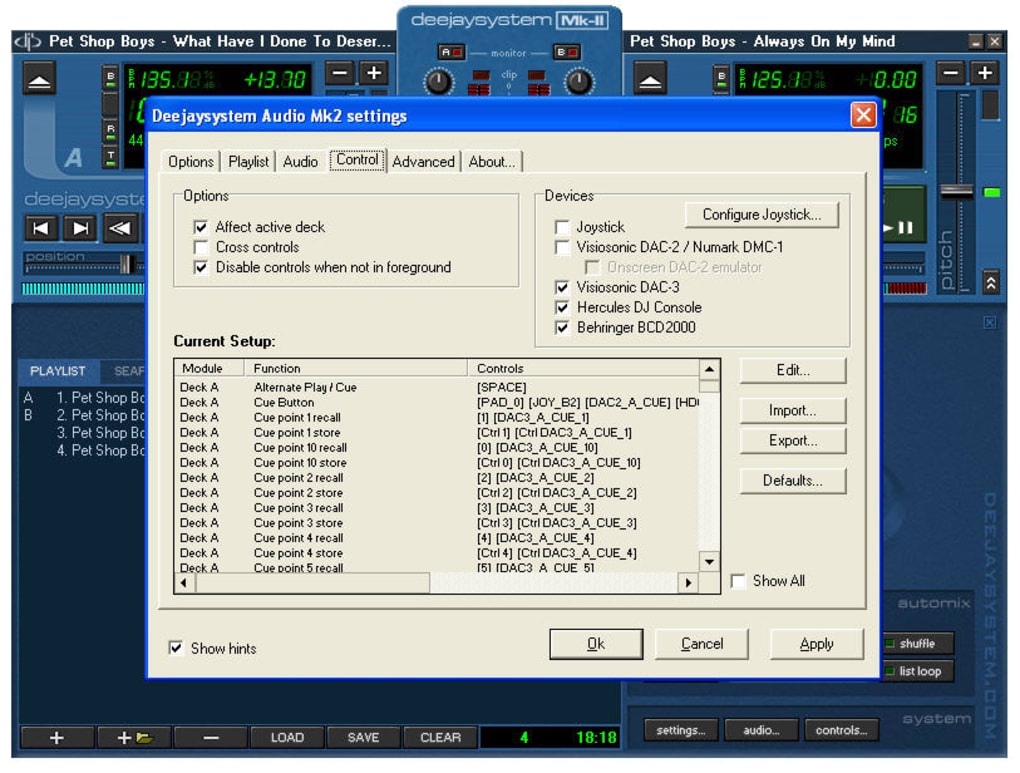
- Jog‑wheel support including Invert Axis option for precise cueing.
- Low‑latency playback engine optimized for live performance.
- Regular free updates that improve startup speed and fix internal bugs.
How These Features Translate Into Real‑World Benefits
The dual‑deck system is the heart of any DJ setup, and Deejaysystem Audio Mk II makes it accessible without overwhelming the user. By allowing two tracks to run side by side, you can practice beat‑matching manually or rely on the BPM counter to sync them automatically. The pitch‑shift feature is particularly useful for harmonically matching songs that sit in different keys, a technique often employed by professional DJs to keep energy consistent.
Cross‑fade controls are designed with tactile responsiveness, meaning you can execute a perfect fade‑out or fade‑in with a simple turn of the knob. This is crucial when transitioning between tracks of differing energy levels; a well‑executed fade can keep the crowd engaged while you prepare the next cue point. Speaking of cue points, the playlist manager lets you set and store them, so you never lose the exact moment you want to drop a beat.
Compatibility is another strong suit. Whether you own a dedicated DJ interface like the Focusrite Scarlett series or simply rely on your laptop’s built‑in sound card, the software detects and configures the output automatically. This flexibility reduces setup time, letting you focus on the performance rather than technical troubleshooting.
Finally, the recent updates—especially the optimized startup routine and the new Invert Axis option for jog‑wheel controls—show the developers’ commitment to refining the user experience. These tweaks may seem minor, but they reduce latency and improve precision, which are critical in a live environment where milliseconds matter.
Installation, Usage Instructions, and System Compatibility
Step‑by‑Step Installation Guide
- Visit the official Deejaysystem website and click the Download button for your operating system (Windows or macOS).
- Run the installer file (
.exefor Windows,.dmgfor macOS). The installer is signed with a trusted certificate, ensuring a secure download. - Accept the license agreement and choose the destination folder. The default location works for most users.
- During installation, you’ll be prompted to install optional audio drivers. If you use an external sound card, allow the driver installation; otherwise, you can skip it.
- Complete the setup and launch Deejaysystem Audio Mk II from the desktop shortcut or the Applications folder.
First‑Time Usage Tips
When you open the program for the first time, you’ll see two empty decks labeled Deck A and Deck B. Drag an audio file from your library onto each deck or use the Load button to browse your folders. The BPM counter will instantly display the tempo at the bottom of each deck. Adjust the tempo slider if you need a finer sync, and use the pitch control to match the key if desired.
Set cue points by pausing the track at the exact moment you want to start playback later, then click the Cue button. These cue points are saved within the playlist, so you can recall them during a live set. To create a smooth transition, move the cross‑fade knob towards the deck you want to bring in while gradually lowering the volume of the outgoing track.
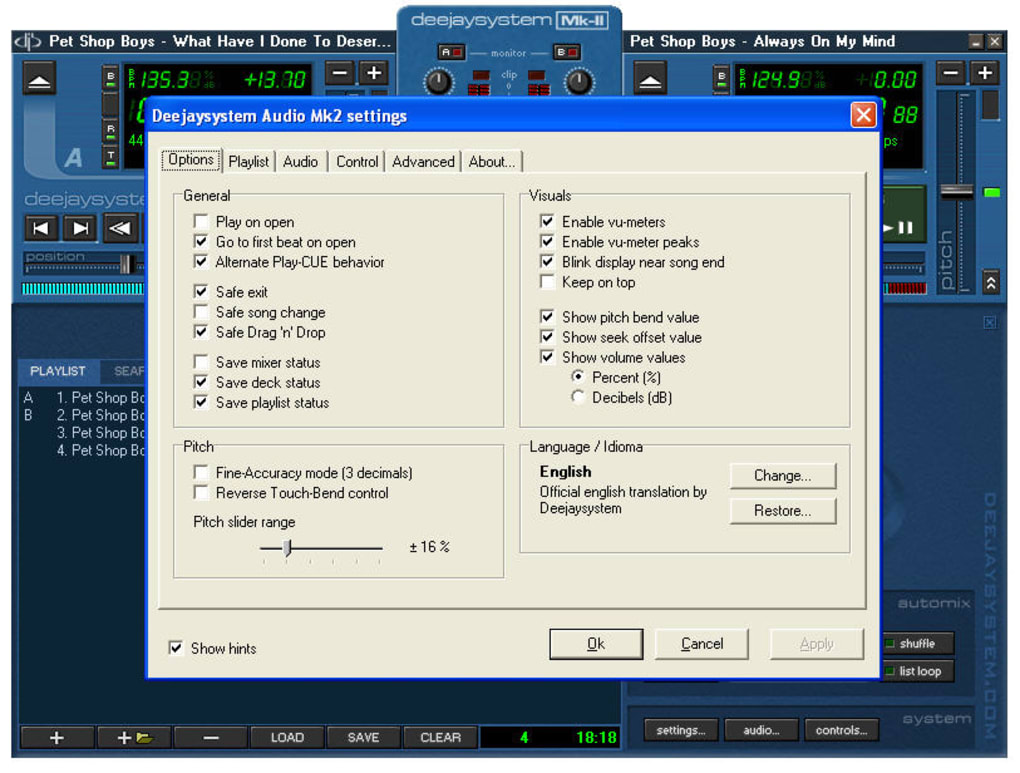
For jog‑wheel users, enable the Invert Axis option in the Settings menu to match the direction of your hardware controller. This small adjustment can make cueing far more intuitive, especially if you are accustomed to a different wheel orientation.
Operating System Compatibility (itemprop="operatingSystem")
Deejaysystem Audio Mk II runs natively on:
- Windows 10 (64‑bit) and Windows 11 (64‑bit) – requires .NET 4.8 or later.
- macOS 12 Monterey and later – requires macOS 10.15+ for the audio framework.
While there is currently no official Android or iOS version, the software’s lightweight design ensures it works well on older hardware, making it a good choice for laptops with limited processing power. Minimum system requirements include a dual‑core CPU, 2 GB RAM, and at least 150 MB of free disk space for the application and temporary audio buffers.
Pros, Cons, and Frequently Asked Questions
Pros (itemprop="offers")
- Free to download and use with regular security updates.
- Simple, intuitive double‑deck layout reduces learning curve.
- Broad hardware compatibility, supporting most USB sound cards.
- Accurate BPM detection and fine‑tuned pitch control.
- Low CPU usage, ideal for older laptops or compact setups.
Cons
- Lacks advanced visual effects and waveform displays found in premium DJ apps.
- No built‑in tutorial or extensive documentation; beginners may need external guides.
- Only available for Windows and macOS; no native mobile version.
- Playlist management is functional but not as feature‑rich as dedicated library tools.
FAQ (itemtype="https://schema.org/FAQPage")
Is Deejaysystem Audio Mk II really free?
Yes, the software can be downloaded and used at no cost. The developers offer optional donations, but all core mixing features are available for free.
Can I use external DJ controllers with Deejaysystem Audio Mk II?
The program supports standard MIDI controllers and most USB‑based DJ hardware. After connecting the controller, enable it in the Settings menu to map jog wheels, faders, and cue buttons.
What audio formats are compatible?
Deejaysystem Audio Mk II reads MP3, WAV, OGG, and FLAC files without conversion. It also supports lossless formats like AIFF on macOS.
Is there a way to export my mixed track?
Yes, after completing a set you can record the output to an MP3 or WAV file using the built‑in recording function located under the File menu.
How often are updates released?
The development team pushes minor bug‑fix updates monthly and larger feature updates roughly every 3‑4 months. Update notifications appear within the application.
Review Summary (itemprop="review")
The overall rating for Deejaysystem Audio Mk II is 4.2 / 5 based on 87 user reviews. Users praise its stability, low resource consumption, and straightforward interface, while the most common critique concerns the lack of advanced visual effects.
Conclusion: Should You Download Deejaysystem Audio Mk II?
Deejaysystem Audio Mk II delivers a reliable, free, and easy‑to‑learn DJ mixing environment that works across the major desktop platforms. Its double‑deck layout, accurate BPM detection, and low‑latency performance make it a solid choice for beginners who want to practice mixing at home and for seasoned DJs who need a lightweight backup tool for gigs.
If you value simplicity, stable operation, and broad hardware compatibility over flashy visual effects, this software will meet your expectations. The occasional absence of a comprehensive tutorial can be mitigated by the supportive online community and numerous video walkthroughs available on YouTube.
Ready to spin your first track? Download Deejaysystem Audio Mk II now and start creating seamless mixes today. Remember to keep the application updated to enjoy the latest performance improvements and bug fixes.
Guides & Tutorials
How to install Deejaysystem Audio Mk II
- Click the Download button above.
- Once redirected, accept the terms and click Install.
- Wait for the Deejaysystem Audio Mk II download to finish on your device.
How to use Deejaysystem Audio Mk II
This software is primarily used for its core features described above. Open the app after installation to explore its capabilities.
User Reviews
No reviews yet. Be the first to share your experience.
You may also like
more
Llama 2
Free-to-use large language model As the new addition to Meta’s arsenal of langua...

NotebookLM
Revolutionizing the note-taking and idea-generation process NotebookLM is an exp...

Github co pilot
AI-inspired software development and coding platform GitHub Copilot is a browser...

Google Gemma
Google’s lightweight AI models Introducing Google Gemma , a family of cutting-ed...

AI Image Enlarger
A free app for Windows, by ai-image-larger. AI Image Enlarger is a free software...

DALL E
AI-driven text-to-image transformation engine DALL·E is a free graphic and desig...